
 |
|
|
|
|
|
 |


 |
Programming a Monster Pro and S&T e-mail address |
 |

|
 |

|
(#1)
|
|
RC-Monster Carbon Fiber
Offline
Posts: 91
Join Date: May 2007
|
Programming a Monster Pro and S&T e-mail address -
03.27.2008, 05:15 PM
My 125b doesn’t program, no matter how many times I try.
 I hold the program button and turn it on and there are no beeps when throttle is moved and the first red led lights up as soon as it is turned on and then on when the program button is pressed. I hold the program button and turn it on and there are no beeps when throttle is moved and the first red led lights up as soon as it is turned on and then on when the program button is pressed.I have tried programming with and without external BEC, using a 16.5v and 7.2v battery and using a Lehner 1940/8 and a feigao 9xl. The radio is a Sanwa (Airtronics?) Gemini, 2 40mhz fm 3ch. I have contacted them several times about this and have not gotten a single response. Should I send it in for a repair and As I am in the UK I am hesitant to do so without contacting them first. Does anyone have any working e-mail address for them. Any help would be greatly appreciated, thanks. |
|
|

|
 |
 |
 |
|
|
|
|
|
|
(#2)
|
|
RC-Monster Admin

Offline
Posts: 14,609
Join Date: Nov 2005
Location: Des Moines, IA
|
03.27.2008, 05:18 PM
Not sure about the email address, but have you tried to center your throttle trim and set your forward and reverse EPA to 100%? If you can, set the EPA to as high as it can go. It sounds like the ESC is not seeing the required ~2ms pulses for max throttle to enter programming mode.
Something else to check out: The button on one of my Quarks is not quite in the exact proper position for effective pressing. I had to use a hex wrench tip to get it to press. Or, you could pop off the top plastic plate (don't slide it off!) to get to the button. I assume you've read the manual... |
  |
|
|
|
|
|
|
|
|
|
|
(#3)
|
|
RC-Monster Carbon Fiber
Offline
Posts: 91
Join Date: May 2007
|
03.27.2008, 05:22 PM
Thanks, I'll give that a try and see if the works.
|
|
|
|
|
|
|
|
|
|
|
|
|
(#4)
|
|
RC-Monster Carbon Fiber
Offline
Posts: 91
Join Date: May 2007
|
03.27.2008, 05:37 PM
I set the throttle EPA's to max( +140% -160%) and made sure that the throttle was centred. That didn't work and previously I had popped the cover off and tried to press the button that way and that hadn't worked then either.
I just reversed the channel and that didn't work either, unfortunately. Any other ideas. |
|
|
|
|
|
|
|
|
|
|
|
|
(#5)
|
|
RC-Monster Admin
Offline
Posts: 14,609
Join Date: Nov 2005
Location: Des Moines, IA
|
03.27.2008, 05:49 PM
Hmm, puzzling. I know the Quarks are not the easiest things in the world to program, but this is a bit odd.
I assume you are following these instructions:
From the sounds of things, it sounds like you aren't getting past step 4. REALLY dumb question, but you have the ESC plugged into CH2 on the receiver right? Have you watched the videos that Quark has on programming? Basic Programming Advanced Programming |
|
|
|
|
|
|
|
|
|
|
|
|
(#6)
|
|
RC-Monster Carbon Fiber
Offline
Posts: 91
Join Date: May 2007
|
03.27.2008, 06:08 PM
This monster Pro is actually a replacement one sent from S&T for one that smoked. that one however was used on a different radio (TQ3), so i kind of know how to program it.
You are right, I can't get past step 4. As soon as I turn on the power switch the red LED closest to the programming button lights up until i release the button. I have seen the basic programming video but that s irrelevant as i can't get full throttle and neutral programmed. |
|
|
|
|
|
|
|
|
|
|
|
|
(#7)
|
|
Yip Yip Yip...

Offline
Posts: 1,489
Join Date: Aug 2007
Location: Australia
|
03.27.2008, 06:09 PM
Do you have the motor plugged in while doing this? If the motor isn't plugged in (motor is the speaker) it will not beep. It sounds like you do but I thought I would check
Mini-T Pro: Micro Pro 6800kv, Lipo, HS-81mg, Dirt Hawgs M18MT: Quark 33A, Y22S 6000kv, FP 2s Lipo LRP S8-BX: RC-M Conversion, Tekin RX8 B1600KV, 6S. |
|
|
|
|
|
|
|
|
|
|
|
|
(#8)
|
|
RC-Monster Carbon Fiber
Offline
Posts: 91
Join Date: May 2007
|
03.27.2008, 06:14 PM
Yeah I have the motor plugged in. Even if it wasn't, that wouldn't make it act the way that it currently is.
|
|
|
|
|
|
|
|
|
|
|
|
|
(#9)
|
|
Yip Yip Yip...
Offline
Posts: 1,489
Join Date: Aug 2007
Location: Australia
|
03.27.2008, 06:31 PM
The only thing I can think of is to try a different radio just to test.
Mini-T Pro: Micro Pro 6800kv, Lipo, HS-81mg, Dirt Hawgs M18MT: Quark 33A, Y22S 6000kv, FP 2s Lipo LRP S8-BX: RC-M Conversion, Tekin RX8 B1600KV, 6S. |
|
|
|
|
|
|
|
|
|
|
|
|
(#10)
|
|
RC-Monster Carbon Fiber
Offline
Posts: 91
Join Date: May 2007
|
03.27.2008, 06:37 PM
I have just tested it with a simple 2 channel radio with a servo as well. Servo worked fine but nothing new with the esc.
I think I'm going to send it back - shall I just send it in or try again to contact them first? |
|
|
|
|
|
|
|
|
|
|
|
|
(#11)
|
|
RC-Monster Admin
Offline
Posts: 14,609
Join Date: Nov 2005
Location: Des Moines, IA
|
03.27.2008, 06:52 PM
I would definitely contact them first. Some places don't accept repairs unless it has an RMA or something. It would suck to get it back unrepaired and waste that ship time. Sorry to hear about the trouble.
|
|
|
|
|
|
|
|
|
|
|
|
|
(#12)
|
|
RC-Monster Carbon Fiber

Offline
Posts: 81
Join Date: Jun 2007
|
03.27.2008, 08:32 PM
just a longshot and I doubt it's the problem, but make sure the plug isn't backwards in the receiver. But i know I've been guilty of that before and had a headslap moment.
|
|
|
|
|
|
|
|
Samething happened to me |
|
|
|
|
|
(#13)
|
|
|
RC carbon junkie
Offline
Posts: 634
Join Date: Dec 2007
Location: Iowa
|
Samething happened to me -
03.27.2008, 09:28 PM
Quote:
 [IMG] http://img329.imageshack.us/img329/4681/dsc02827ce6.th.jpg[/IMG] 
|
|
|
|
|

|
|
|
|
|
|
|
|
|
(#14)
|
|
RC-Monster Carbon Fiber
Offline
Posts: 91
Join Date: May 2007
|
03.28.2008, 06:48 AM
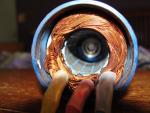
My Monster Pro burnt but not as bad as yours
 . . I've decided i'll send it back as there's not much else i can do. It's just a question of contacting them. In the past i think i got maybe one response from me e-mailing them over the burnt 125 so i don't know if they'll even answer. For shipping I should send it to the Torrance address right? |
|
|
|
|
|
|
 |
«
Previous Thread
|
Next Thread
»
| Currently Active Users Viewing This Thread: 1 (0 members and 1 guests) | |
 Linear Mode

|
|

Powered by vBulletin® Version 3.8.11
Copyright ©2000 - 2026, vBulletin Solutions Inc.
vBulletin Skin developed by: vBStyles.com
Copyright ©2000 - 2026, vBulletin Solutions Inc.
vBulletin Skin developed by: vBStyles.com
