
 |
|
|
|
|
|
 |


 |
 |

|
 |

|
(#16)
|
|
RC-Monster Carbon Fiber
Offline
Posts: 468
Join Date: Nov 2006
Location: Los Angeles, CA
|
06.18.2009, 09:32 PM
I couldn't find my original post so I'll explain it again. First you need a small sanding drum, below is a picture of a kit sold at Lowes, but you can buy the indivdual sanding drums at your local hardware store for a few bucks. You need one that is about 1 1/2" or 2" across (as close to the size of your motor can as possible). Use a slow speed (so you don't melt the plastic) and heavy gloves for safety.
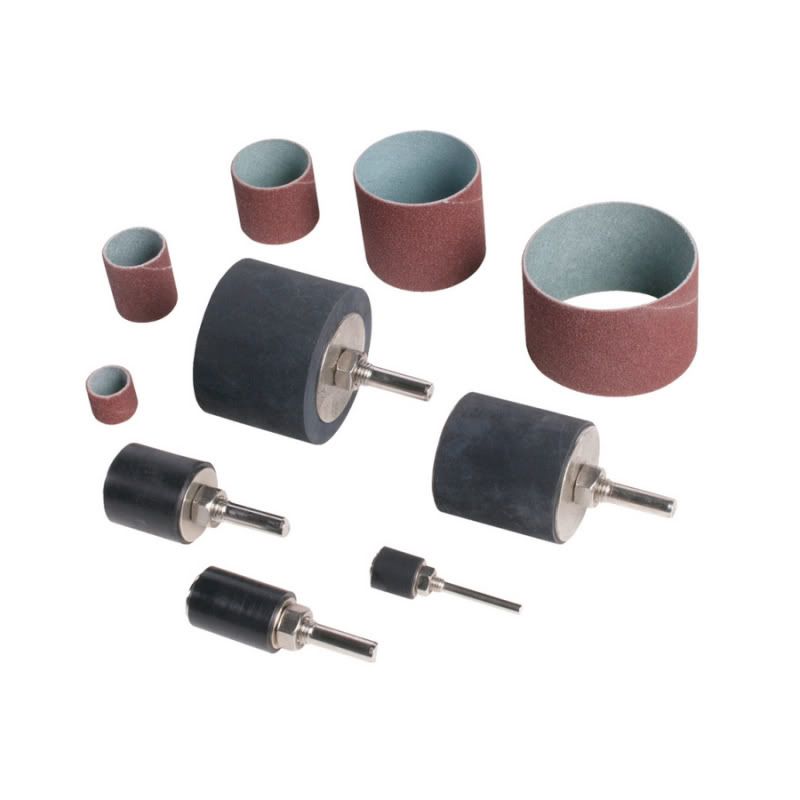 Sanding drum kit 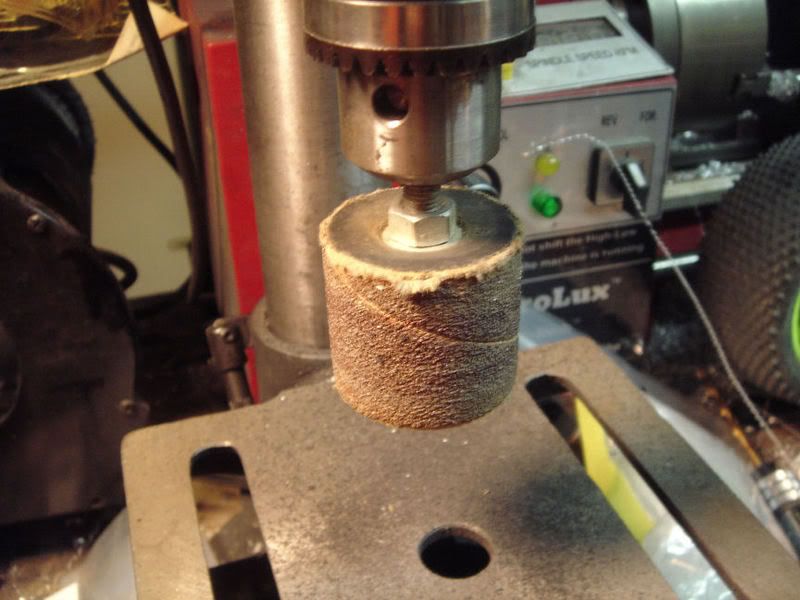 Chuck it in a drill press (best way) or you can use a hand drill. 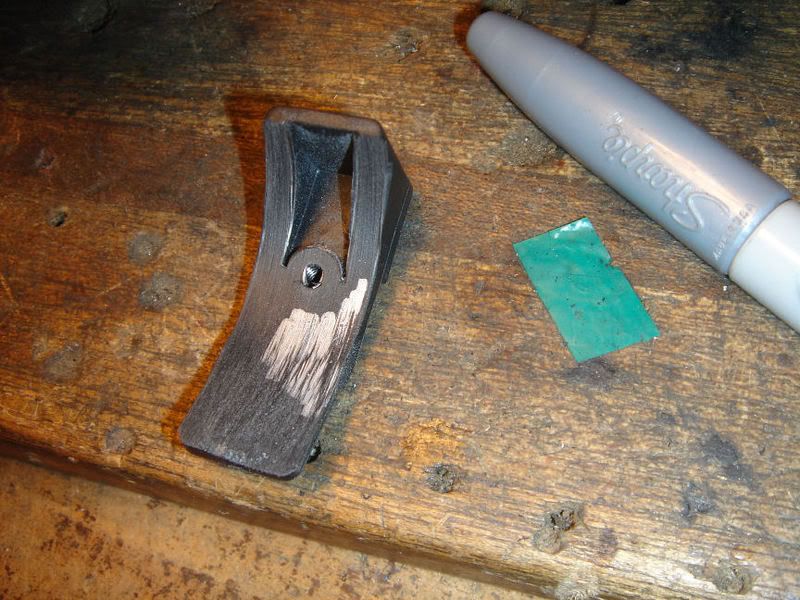 Use a silver Sharpie to mark the area that will need to be taken down. 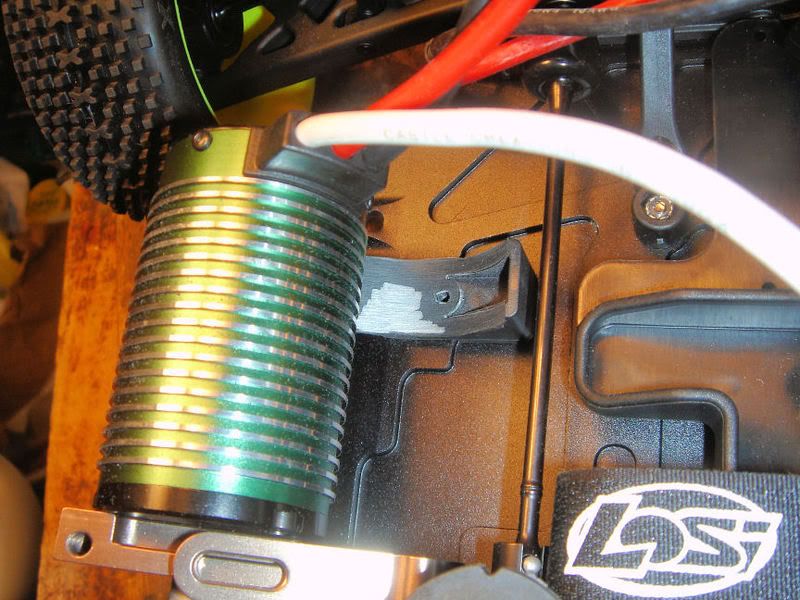 Bolt the support onto the chassis and slide the motor in and out a few times. It will drag on the brace and scrape off the silver where it rubs. 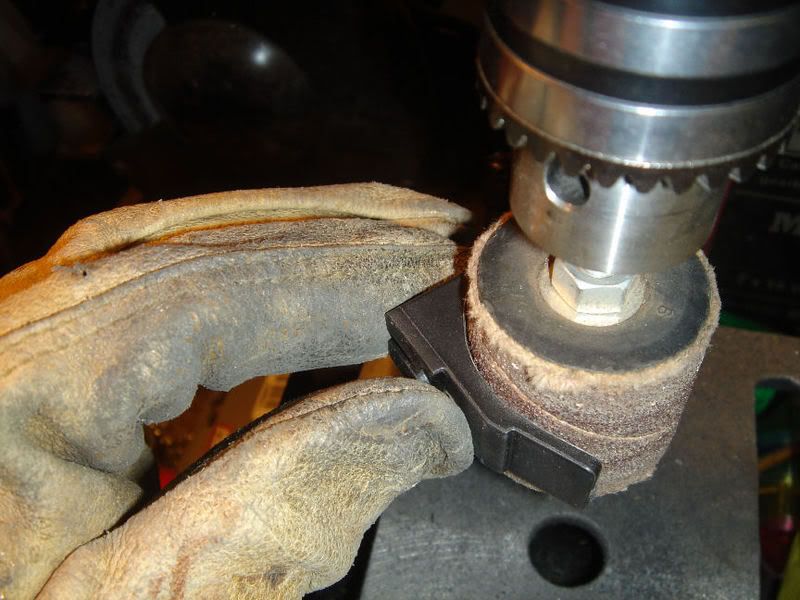 Using the scrape marks as a guide grind off some of the plastic a little at a time, test the fit and reapply the sharpie if necessary to see the high spots. Be sure to use heavy gloves when working with a sanding drum. 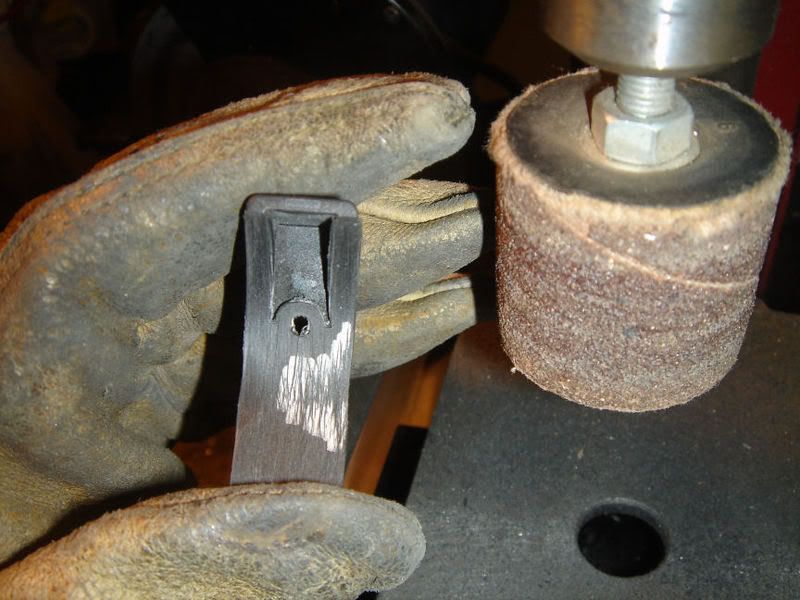 Go slow and test fit several times until you get it so the motor will slide in without too much force yet still be snug to provide support to the motor. |
|
|

|
 |
 |
 |
«
Previous Thread
|
Next Thread
»
| Currently Active Users Viewing This Thread: 1 (0 members and 1 guests) | |


 Threaded Mode
|
|

Powered by vBulletin® Version 3.8.11
Copyright ©2000 - 2026, vBulletin Solutions Inc.
vBulletin Skin developed by: vBStyles.com
Copyright ©2000 - 2026, vBulletin Solutions Inc.
vBulletin Skin developed by: vBStyles.com
